---
title: I'm a Contractor Admin, how do I set up pricing and rates?
description: Contractor Admins can learn how to set up pricing, labor rates, and markup percentages in the UnicoSales app for accurate proposals and configurations.
---
[Skip to content](https://helpcenter.unicosystem.com/knowledge/im-a-contractor-admin-how-do-i-set-up-pricing-and-rates#main-content)
English
Show submenu for translations
![Unico-logo-4c.png\]](https://helpcenter.unicosystem.com/hs-fs/hubfs/Unico-logo-4c.png?height=40&name=Unico-logo-4c.png)
- [Default HubSpot Blog](https://theoutlet.unicosystem.com/blog)
Open main navigation
Close main navigation
- [Default HubSpot Blog](https://theoutlet.unicosystem.com/blog)
- English
Show submenu for translations
- Go to www.unicosystem.com
Go to www.unicosystem.com
Hello. How can we help you?
- There are no suggestions because the search field is empty.
1. [Unico Help Center & Resources](https://helpcenter.unicosystem.com/knowledge?hsLang=en)
2. [UnicoSales App Help](https://helpcenter.unicosystem.com/knowledge/unicosales-app-help?hsLang=en)
3. [Contractors](https://helpcenter.unicosystem.com/knowledge/unicosales-app-help?hsLang=en#contractors)
# I'm a Contractor Admin, how do I set up pricing and rates?
**Before getting started with the UnicoSales App**, there are a number of administrative details required to be set up for contractors on the platform.
These include their **daily labor rates**, **markup rates** for products and certain conditions or templates for [**proposals**](https://helpcenter.unicosystem.com/knowledge/what-are-all-the-features-of-the-homeowner-proposal?hsLang=en).
To get set up, navigate to the left sidebar → **Proposals** →then select **Settings**.

Here is where you input your company’s:
- [**Markup rate**](https://helpcenter.unicosystem.com/knowledge/im-a-contractor-admin-how-do-i-set-up-pricing-and-rates#markup-rate)
- [**Expiry time**](https://helpcenter.unicosystem.com/knowledge/im-a-contractor-admin-how-do-i-set-up-pricing-and-rates#expiry-time) for proposals
- Any [**exclusions**](https://helpcenter.unicosystem.com/knowledge/im-a-contractor-admin-how-do-i-set-up-pricing-and-rates#exclusions)
- [**Contractor labor rates**](https://helpcenter.unicosystem.com/knowledge/im-a-contractor-admin-how-do-i-set-up-pricing-and-rates#contractor-labor-rates)
### Markup Rate
For the **markup rate**, you will enter a **percentage**. This percentage is the **amount** that your company’s contractors will **add** onto the price of a Unico product **sold to them by distributors**. This ‘marked-up’ price will then be sold to homeowners.
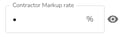
Be sure to toggle the "eye" symbol on so you can see your rate.
### Expiry Time
For the **expiry time**, choose the **amount of days** that your company’s proposals will be valid for, before they expire.

### Exclusions
For the **exclusions template**, enter the copy required to state any exclusions for homeowners when sending them a proposal.

You can **upload** your exclusions via file into the attachment box as shown above, or simply **type** your exclusions directly into the template field as shown below.
[****](https://unicosalesapp.zendesk.com/hc/en-us/articles/12223081956124-I-m-a-Contractor-Admin-how-do-I-set-up-pricing-and-rates#h_01HYDZ6X05PFM49ZZ9YW7GFAVT)
### Contractor Labor Rates
For the **contractor labor rates**, enter the **names** or **titles** (installer, etc) of all contractors involved and their **daily rates**. You can add multiple contractors by clicking “Add more”.

To see more information on proposal setup options, see [this article](https://helpcenter.unicosystem.com/knowledge/what-are-all-the-components-of-proposal-setup?hsLang=en).
- [Frequently Asked Questions](https://helpcenter.unicosystem.com/knowledge/frequently-asked-questions?hsLang=en#main-content)
- [Homeowner FAQs](https://helpcenter.unicosystem.com/knowledge/frequently-asked-questions?hsLang=en#homeowner-faqs)
- [Professional FAQs](https://helpcenter.unicosystem.com/knowledge/frequently-asked-questions?hsLang=en#professional-faqs)
- [Technical Specifications](https://helpcenter.unicosystem.com/knowledge/technical-specifications?hsLang=en#main-content)
- [10 - General Information](https://helpcenter.unicosystem.com/knowledge/technical-specifications?hsLang=en#10-general-information)
- [20 - Engineering Specifications](https://helpcenter.unicosystem.com/knowledge/technical-specifications?hsLang=en#20-engineering-specifications)
- [30 - Installation & Maintenance](https://helpcenter.unicosystem.com/knowledge/technical-specifications?hsLang=en#30-installation-maintenance)
- [40 - Application & Sizing](https://helpcenter.unicosystem.com/knowledge/technical-specifications?hsLang=en#40-application-sizing)
- [Technical Notes](https://helpcenter.unicosystem.com/knowledge/technical-specifications?hsLang=en#technical-notes)
- [Replacement Guides](https://helpcenter.unicosystem.com/knowledge/replacement-guides?hsLang=en)
- [Drawings & Submittals](https://helpcenter.unicosystem.com/knowledge/drawings-submittals?hsLang=en#main-content)
- [Blower Modules (1 - 5 ton)](https://helpcenter.unicosystem.com/knowledge/drawings-submittals?hsLang=en#blower-modules-1-5-ton)
- [Coil Modules (1 - 5 ton)](https://helpcenter.unicosystem.com/knowledge/drawings-submittals?hsLang=en#coil-modules-1-5-ton)
- [Vertical Up Flow FCU](https://helpcenter.unicosystem.com/knowledge/drawings-submittals?hsLang=en#vertical-up-flow-fcu)
- [Accessories](https://helpcenter.unicosystem.com/knowledge/drawings-submittals?hsLang=en#accessories)
- [Obsolete Parts](https://helpcenter.unicosystem.com/knowledge/obsolete-parts?hsLang=en#main-content)
- [Discontinued Parts Bulletins](https://helpcenter.unicosystem.com/knowledge/obsolete-parts?hsLang=en#discontinued-parts-bulletins)
- [Discontinued Parts Drawings & Submittals](https://helpcenter.unicosystem.com/knowledge/obsolete-parts?hsLang=en#discontinued-parts-drawings-submittals)
- [Videos](https://helpcenter.unicosystem.com/knowledge/videos?hsLang=en#main-content)
- [Why Choose a Unico System](https://helpcenter.unicosystem.com/knowledge/videos?hsLang=en#why-choose-a-unico-system)
- [Installation](https://helpcenter.unicosystem.com/knowledge/videos?hsLang=en#installation)
- [Product](https://helpcenter.unicosystem.com/knowledge/videos?hsLang=en#product)
- [UnicoSales App Help](https://helpcenter.unicosystem.com/knowledge/unicosales-app-help?hsLang=en#main-content)
- [How the UnicoSales App Works](https://helpcenter.unicosystem.com/knowledge/unicosales-app-help?hsLang=en#how-the-unicosales-app-works)
- [Setup Questions](https://helpcenter.unicosystem.com/knowledge/unicosales-app-help?hsLang=en#setup-questions)
- [General FAQ's](https://helpcenter.unicosystem.com/knowledge/unicosales-app-help?hsLang=en#general-faqs)
- [Contractors](https://helpcenter.unicosystem.com/knowledge/unicosales-app-help?hsLang=en#contractors)
- [Distributors](https://helpcenter.unicosystem.com/knowledge/unicosales-app-help?hsLang=en#distributors)
- [Rep Companies](https://helpcenter.unicosystem.com/knowledge/unicosales-app-help?hsLang=en#rep-companies)
- [Default HubSpot Blog](https://theoutlet.unicosystem.com/blog)
[](https://www.unicosystem.com)
Help Center
Copyright © 2026, Unico Inc.